PRIVATE AI PLATFORM / OPENMAKE 1.52.1

Private AI for open-weight models and agents.

Run AI inside your infrastructure. Keep your data, models, and agents under your control.

OpenMake is an open-weight Agent Runtime with a Control Plane on top of it. Your organization picks the models, connects its own data, and decides what agents are allowed to do — all inside a boundary you own.

MIT-licensed open source · Private cloud, on-premise, or air-gapped

O WORKSPACEAgent orchestrationRUNNING
DONE24/24
Research Agent

Sources gathered, compared, and prepared for review.

01
WHAT YOU CAN CONNECT

Plug in the AI you already use.

Six routes out, one way in.

OpenMake serves a local open-weight model through vLLM behind a LiteLLM proxy, and sends the same abstraction to whichever of these you register. Keys stay yours, encrypted at rest with AES-256-GCM, and an administrator policy decides which routes an agent may take.

Each one links to its own site.

Guests use the local model only, so connecting anything here requires sign-in. ChatGPT subscription sign-in is an unofficial, policy-dependent device flow, so treat it as an opt-in convenience.

WHAT OPENMAKE IS

Four things that stay yours.

OpenMake is not a hosted assistant you rent, and not a one-off on-premise build. It is the layer that turns open-weight models into a system your organization owns and governs.

01

Open-weight models

Qwen, EXAONE, Llama, Mistral, or any OpenAI-compatible endpoint. The model is a replaceable part, not a vendor you are locked into.

02

Private data

Documents, conversations, embeddings, and artifacts stay inside your boundary. Nothing leaves unless a policy you set allows it.

03

Controlled agents

Agents plan, execute, and produce deliverables under the permissions, approvals, budgets, and sandbox limits your administrators define.

04

Self-hosted infrastructure

Customer VPC, private cloud, an in-house GPU cluster, or a closed network. Deployment is an option; the platform stays the same.

CHOOSE YOUR STARTING POINT

Evaluate it now, or stand it up in your own environment.

Either way you get the same OpenMake. The hosted demo exists so you can form an opinion quickly; a real deployment puts the application, model gateway, and data boundary inside your organization. OpenMake Bench serves both: it is where you measure which model to put behind either one.

01

Try it without setup

Open the hosted demo in your browser. Nothing to install and no infrastructure to prepare — sign in as a guest and start asking.

No install · Runs in the browserGuest access · Default model
Open the live demo
02

Run it in your environment

Operate your own models, data, database, network boundary, and deployment. The source is MIT-licensed, so you can inspect it, fork it, and build your own.

Node.js 24 · PostgreSQL · Optional RedisDocker isolation when enabled
Read the deployment docs
03

Measure before you choose a model

OpenMake Bench runs the same prompts across models and routes under identical conditions and compares quality, speed, and cost. Sign in with your OpenMake account to benchmark your own connected models, and share results only if you want to.

Same conditions · Blind leaderboardYour models · Also on-premise
Open OpenMake Bench
AGENT RUNTIME

From a request to a finished deliverable.

The first enterprise use case is a private research and document agent: search internal material, ground the answer in it, verify the claims, write the report, and leave a record of what happened.

01 / DELEGATE

Delegate multi-step work

Agents read internal files, run code, use browsers, and carry work across many turns — pausing for human approval wherever your policy requires it.

Explore agent tasks →
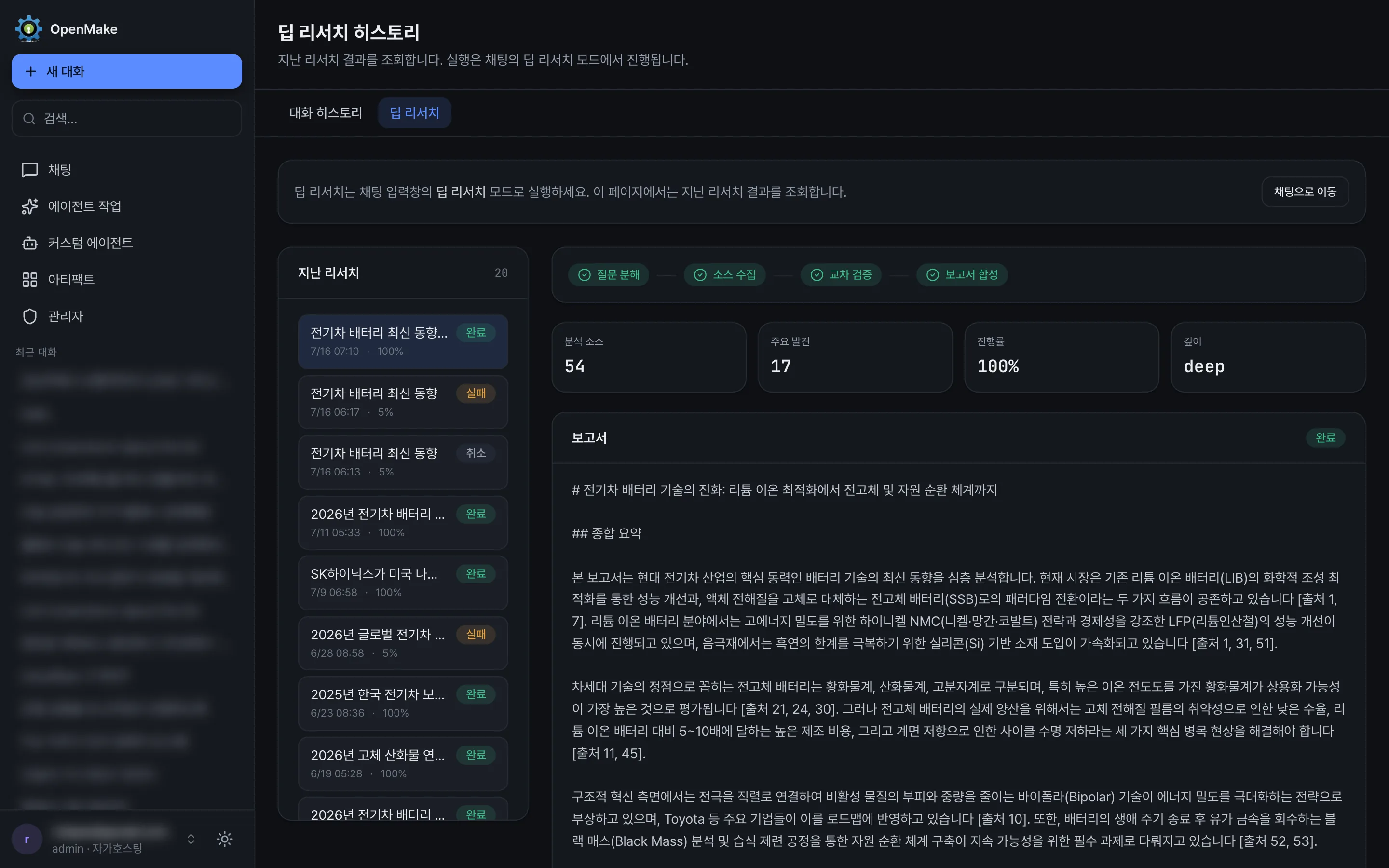
OpenMake agent task progress screen
02 / VERIFY

Ground answers in your own sources

Break a question down, retrieve from internal documents, cross-check conflicting evidence, and return a report whose citations stay reviewable.

See deep research →
OpenMake deep research report with citations
03 / DELIVER

Hand back documents, not transcripts

Connect the MCP servers you approve and turn a run into reusable documents, code, tables, and images that someone can actually sign off on.

Explore connected tools →
OpenMake connectors and MCP tools
CONTROL PLANE / AGENT RUNTIME

The model is replaceable. The control layer is the product.

Route Qwen, EXAONE, Llama, or any OpenAI-compatible endpoint through one gateway. Swap the model and your agents, retrieval, permissions, and audit trail keep working unchanged.

See how deployment works →
CONTROL PLANE / AGENT RUNTIME

One control plane over every model and agent.

Permissions, policy, audit, budget, and users on one side. Skills, MCP, tools, sandbox, and execution on the other. An AI gateway in between, with the model as an interchangeable part underneath.

A clear path from request to result.

01User
02OpenMake
03vLLM / LiteLLM
04Local / open-weight models

Requests move through the OpenMake application and orchestration layer to your model gateway. Agent tasks, MCP servers, and artifact execution run in separate boundaries, so an organization can grant capability without granting access to everything.

Which model sits under that gateway is a measured decision, not a guess: OpenMake Bench runs the same prompts across models and routes under identical conditions, and the model you pick there applies straight to your role settings. Open OpenMake Bench

Five things an organization can verify before it trusts an AI system.

These are the demonstrations that matter to an operator. A feature count is not one of them.

01

Disconnect the internet. The work continues.

Search and analyze your own document corpus with no outbound connection at all.

02

Change the model. Nothing else breaks.

Move from Qwen to EXAONE and the agents, retrieval, and skills keep running as they were.

03

An agent reaches outside. Policy stops it.

Outbound calls, tools, and providers are governed by administrator policy, not by instructions in a prompt.

04

Every file and command is on the record.

The audit view shows what an agent opened, what it ran, what it produced, and what it cost.

05

The server restarts. The task resumes.

Tasks checkpoint each turn and recover from a valid checkpoint after a restart.

WHO IT IS FOR

For organizations that cannot paste internal documents into a public AI.

OpenMake is aimed at knowledge-intensive organizations of roughly 30 to 500 people — where the material is sensitive, but the work is exactly what AI is good at.

01

Research institutes & associations

Turn an archive into answers. Retrieve from your own reports, compare sources, and produce documents with citations intact.

Archives · Reports · Grounded answers
02

Public and quasi-public bodies

Operate AI inside a closed network, where every privileged action is recorded and reviewable after the fact.

Closed networks · Audit · Records
03

Manufacturing R&D

Analyze specifications, patents, and test data without sending any of it to an external model provider.

Specs · Patents · Test data
04

Consulting, accounting, legal

Review contracts and regulations against your own precedent, and return a draft a professional can check line by line.

Contracts · Regulations · Deliverables
VERIFIED IN THE CURRENT SOURCE

What is already in OpenMake

These are current product facts read from OpenMake 1.52.1 — not roadmap targets or promotional estimates.

262K
Usable context window
22
Built-in MCP tools
18 / 100
Industry / specialist agents
4
Supported UI languages

Decide where your AI runs.

Try the hosted demo, read the deployment guide, or follow the roadmap toward the enterprise control plane.